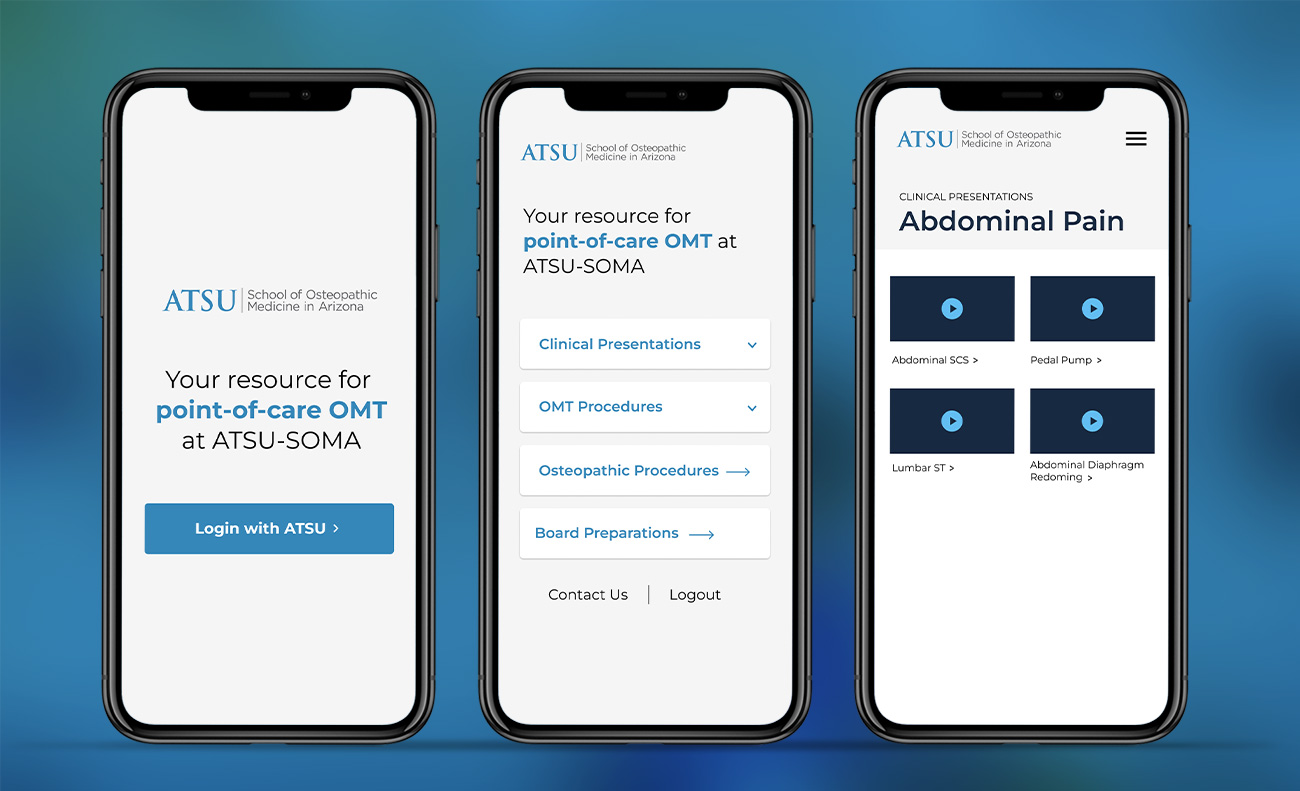
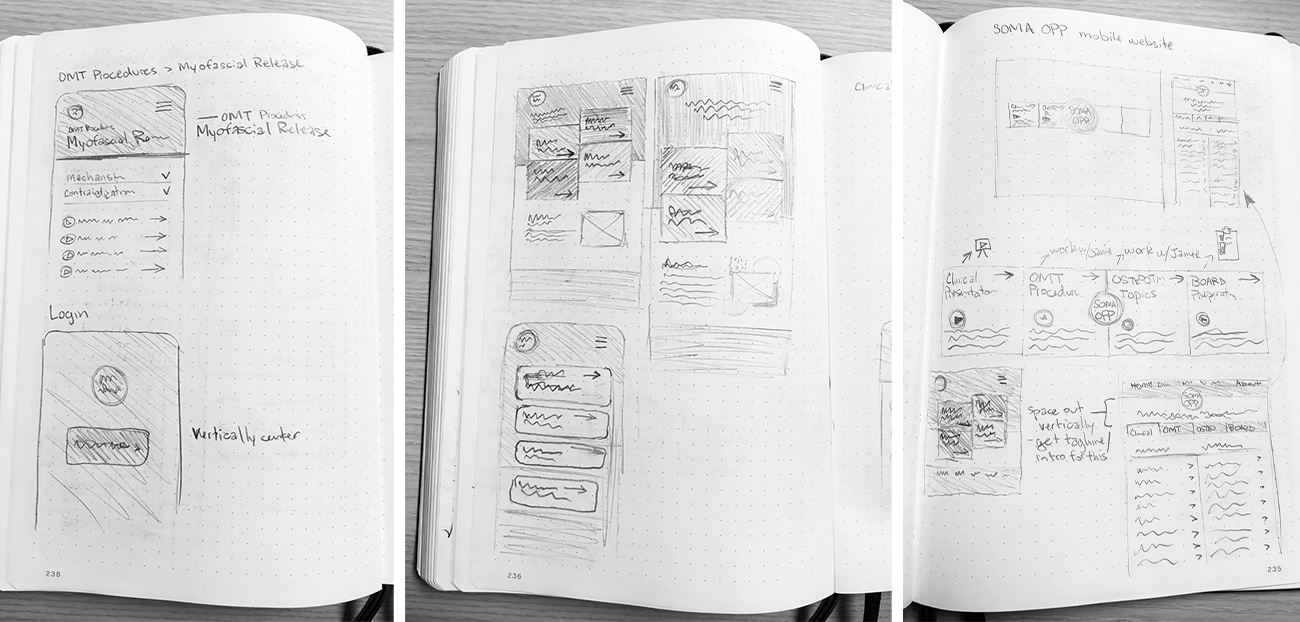
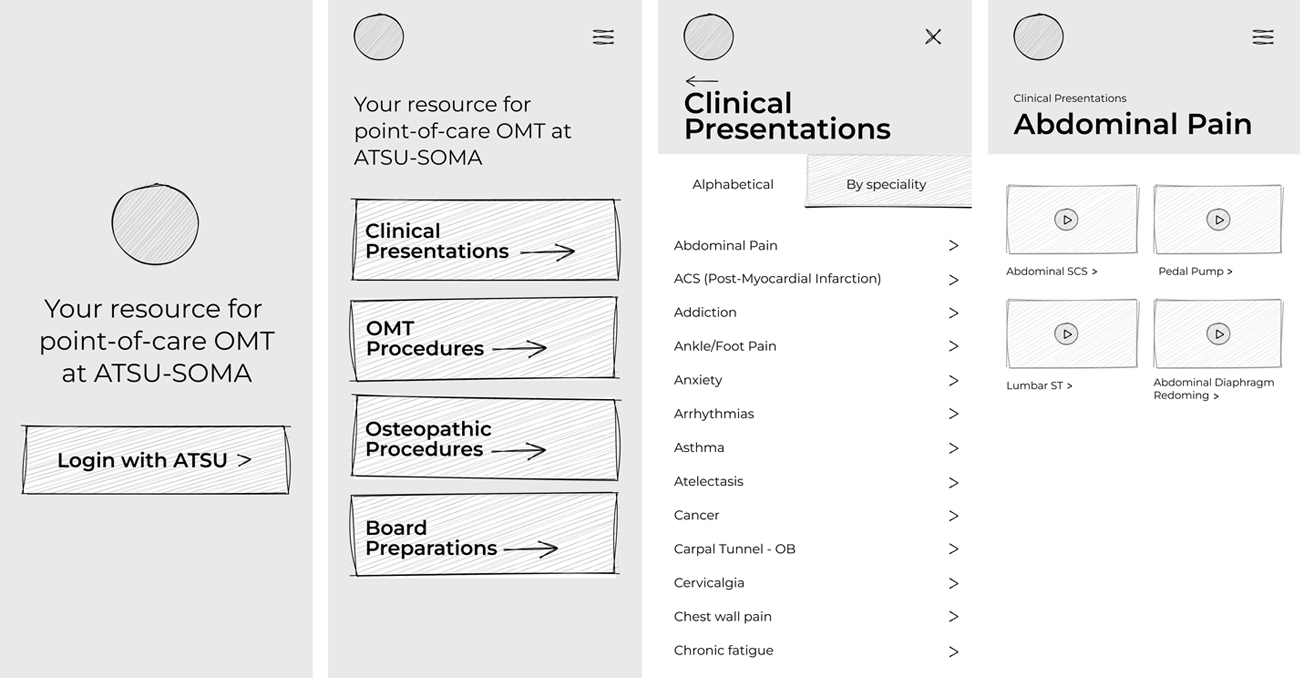
A medical school needed a mobile-friendly resource so student doctors could quickly refresh on Osteopathic techniques they’d already learned in class, right before seeing their next patient — a very different use case than sitting down to study. I designed the content structure and mobile interactions around that in-the-moment context, and built in CMS controls so the professor could manage content without a developer.
I owned the project from strategy through development, handling stakeholder and project management, competitor research, information architecture, wireframing, design, and development. I designed and built the mobile-first WordPress site using HTML, PHP, JavaScript, SASS/CSS, Advanced Custom Fields, and university SSO, with a CMS structure that allowed the professor to manage resources without developer involvement.
The Problem
The real design challenge was the mental context: students needed to find a specific technique refresher in the few minutes before a patient encounter, not while in a classroom mindset — which meant navigation had to work regardless of how a student was thinking about the problem in that moment.
Key Design Decisions
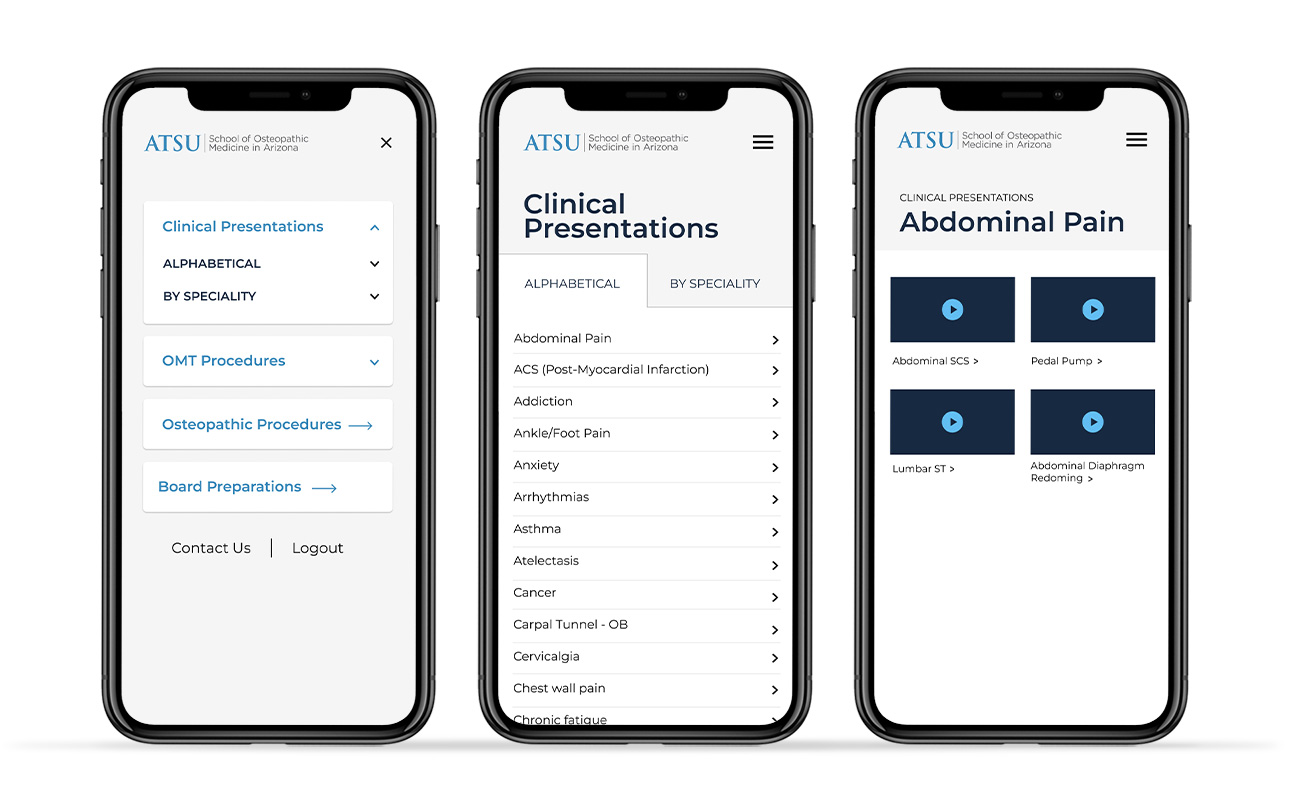
Organizing content in several ways: by technique category (OMT vs. Osteopathic), alphabetically, and by specialty — This gave students multiple valid paths to the same content, so they could find what they needed whether they were thinking “what technique is this” or “what’s this patient’s specialty.”
Simplifying tap targets, language, and content-per-screen for mobile-first use — students would be using this standing in a hallway or exam room, not at a desk, so the design prioritized speed and glanceability over comprehensive detail.
Making navigation and content editable by the professor without developer involvement — the content (techniques, categories, specialties) would need ongoing updates as curriculum changed, so maintainability was treated as a core requirement, not an afterthought.
Custom Navigation System
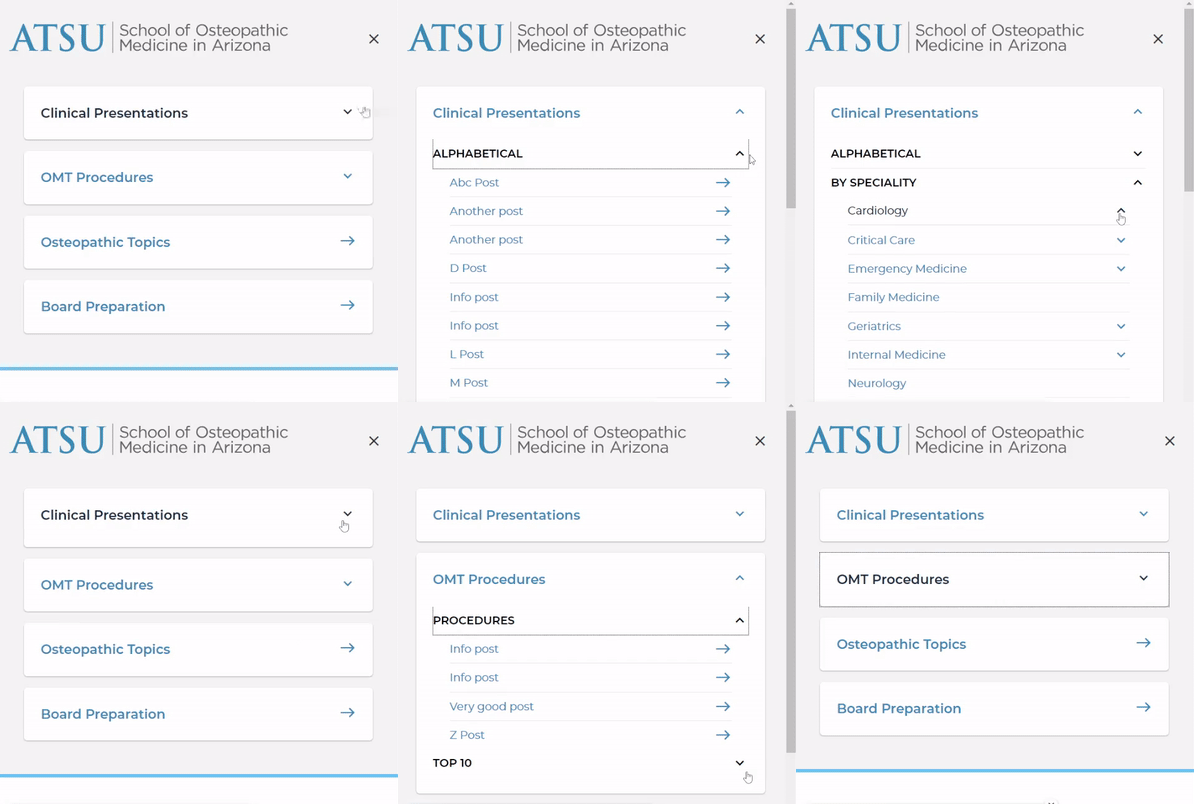
I developed a PHP-driven navigation system that automatically organizes educational resources using WordPress categories and subcategories. Content is retrieved dynamically and displayed alphabetically, providing a consistent, predictable structure for users while reducing manual navigation maintenance.
This approach allowed the interface to accommodate new educational content without requiring ongoing changes to the navigation markup.
On the WordPress side, I wrote custom PHP functions to dynamically generate the navigation based on those selections, including child and grandchild categories and their associated posts. This allowed the navigation to grow with the site’s content without requiring changes to the theme code.
I wrote PHP in my header.php of my WordPress theme to display the custom field data.
Custom PHP functions to build the category lists
See these 2 functions above?
categoryWithABCList($categoryID)
categoryWithoutABCList($categoryID)
These functions loop through all the child categories, grandchild categories, and posts of the selected category and it builds an unordered list.
categoryWithABCList($categoryID)
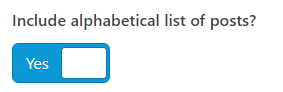
This function runs if the the website editor toggled the option to show an alphabetical list of posts:
categoryWithoutABCList($categoryID)
This function will run if the website editor did not select to show an alphabetical list of posts. It builds a multi-level list with child and grandchild categories as well as the posts in those categories but will exclude the alphabetical list.
Outcome
The project didn’t launch — the stakeholder left before it reached completion, and it wasn’t picked back up. Two additional features, I would have loved to build were identified but not built: a relevance-based search to reduce reliance on navigation, and a native mobile app to remove the friction of recurring login.