
- Client
- A.T. Still Univeristy
- Role
- Project Management, Competitor Research, Web Design, Web Development
- Tool
- Figma, WordPress, Advanced Custom Fields
- Tech Stack
- HTML, CSS, SASS, PHP, JavaScript
Overview
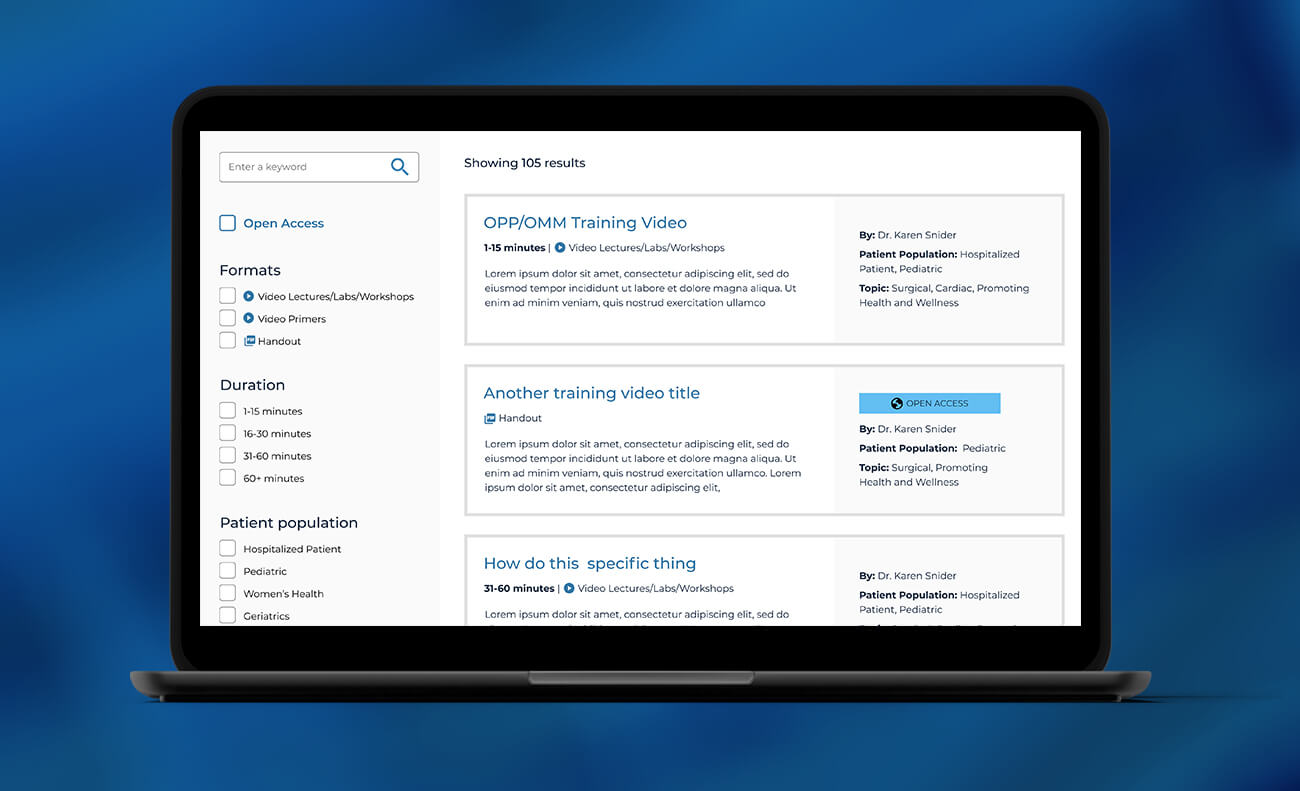
This membership website had hundreds of PDFs, video lectures, workshops and text resources accessible only from a basic search feature and groups of links on several webpages. I led the design and development of an advanced search with several advanced filters such as duration of video, patient population and topic. I partnered with department staff to decide on filter options, and the data to show per search result.
The Problem
Important clinical resources were not findable nor easily accessible from a singular search field. Traffic to these resources were sometimes near zero despite the usefulness of the content. Existing landing pages sometimes linked to these resources but users didn’t know where to look or want to read long lists of links to find things. Additional doctors and clinicians don’t always have a lot of time to find what they need, so a solution with a well-tailored filtering system was necessary.
A secondary problem was marketing and increasing membership. The resources were currently only findable if you were a member and logged in. If al videos and content could be findable on the public web, with a snippet of information about each piece of content, we could have call to actions to sign up access the content.
Process
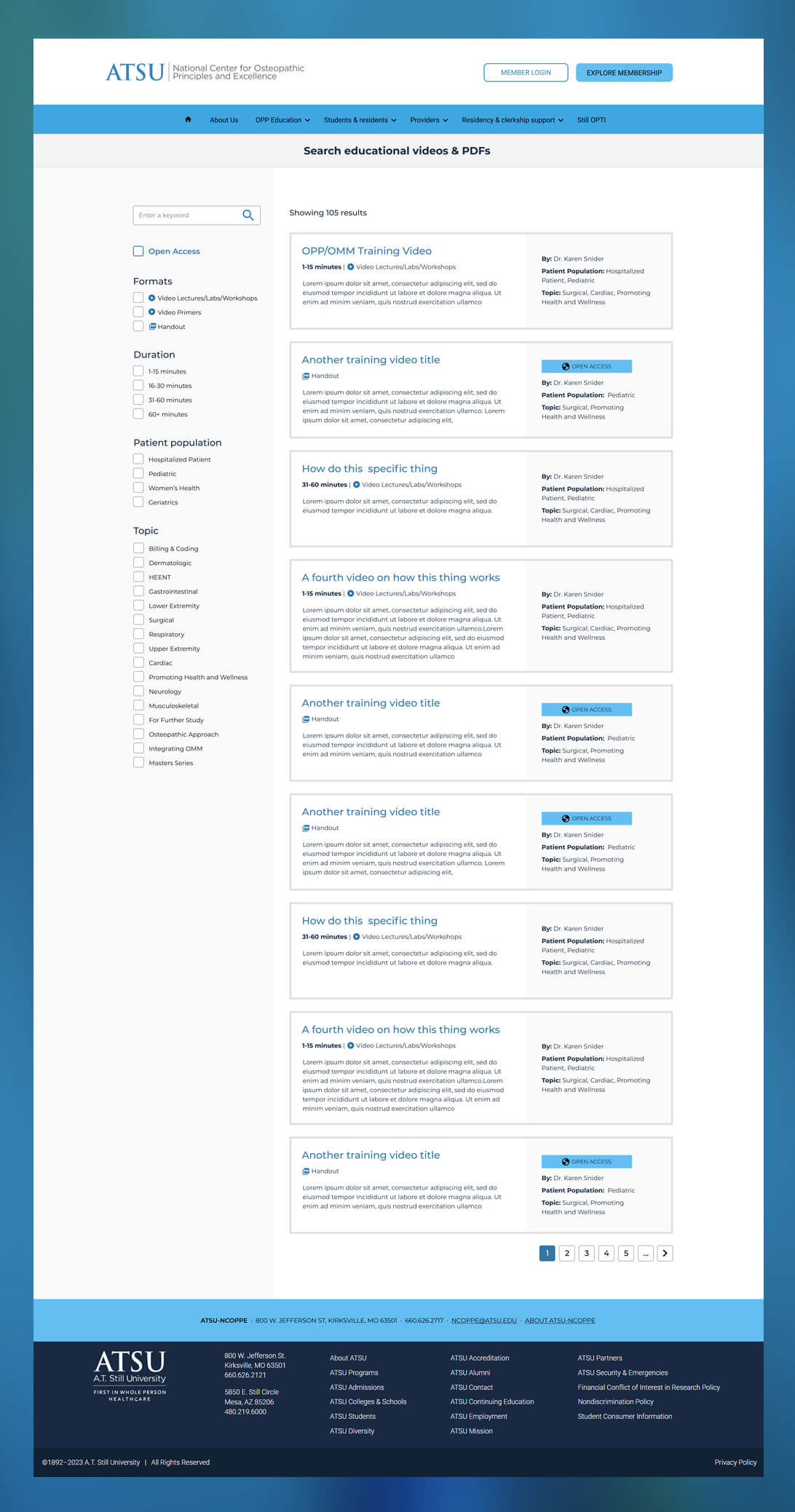
I started by brainstorming with the stakeholder ways to make the hundreds of pieces of content easily findable by clinicians. I began sketching and wireframing an advanced search and the kinds of filters needed. I first reached for existing advanced search WordPress plugins, but realized these were not a good fit. Figma mockups were created to work through the exact information each filter should contain and how search results should be displayed.
Key Design Decisions
- Using search filters for content format and duration of video were included to be tailored to the clinical audience who is often short on time and know the kind of content they want.
- Through stakeholder feedback, it was learned that including the author of the video or content directly on the search result snippet was important – individual author reputation could encourage higher click through rate
- Icons were included for content format (video vs handout) for quick scanning when clinicians are skimming search results.
- As an edge case, a primary search filter was added to toggle only publicly accessible resources. This allows clinicians to access resources before committing to membership.
Outcome
The advanced search launched successfully and had an immediate impact — clinicians could locate relevant resources far faster than with the previous list-of-links approach. Realizing the filters’ full potential depended on backfilling metadata across the existing content library, a multi-week effort that was underway when I transitioned to a new role. While I wasn’t able to see that metadata work through to completion, the search was already delivering clear gains in findability at launch.