
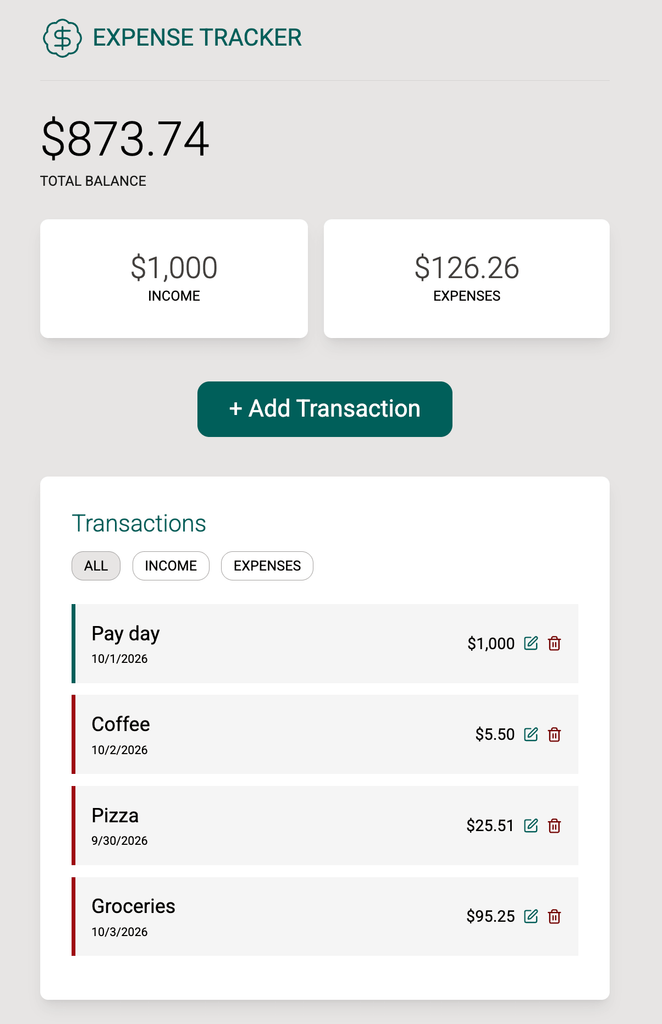
From tutorials to a real project
Recently I shared that I’ve been spending 30-60 minutes of daily learning/practicing new Javascript skills. I have a strong foundation of skills here but I’ve mostly used them on small DOM enhancements and a few React tutorial projects. I decided to just build something and get stuck along the way. And so I did.
Getting stuck is the learning
I’ve completed several React courses and tutorials over the years, and it has never fully clicked. As I’m finding out, it’s never going to click until I take the training wheels off and build from scratch. I set out to create a basic expense tracker that allowed for editing, deleting and filtering the transactions. With just this basic functionality, I was able to put my understanding of several React principles to the test.
Check out the expense tracker here!
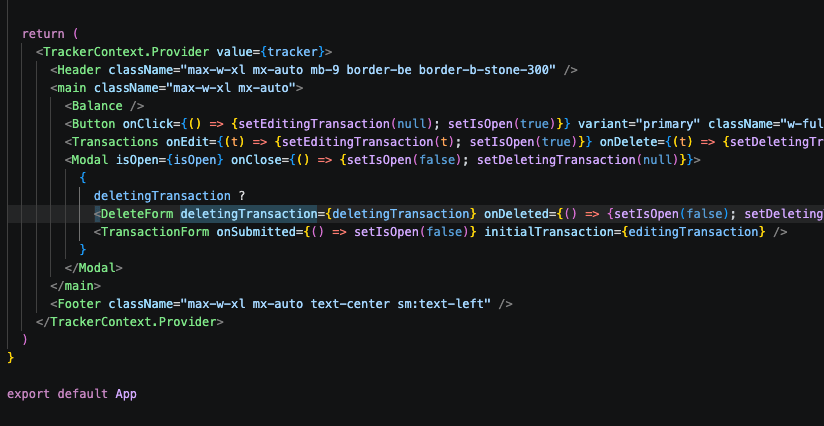
useContext vs prop drilling
One thing I thought I understood was how to use useContext to share props and state in several React components. This project helped me solidify how to create context and then use it in all components. Additionally, why it is still useful and ok to do minimal prop drilling if the props are going to be shared 1-2 components deep.
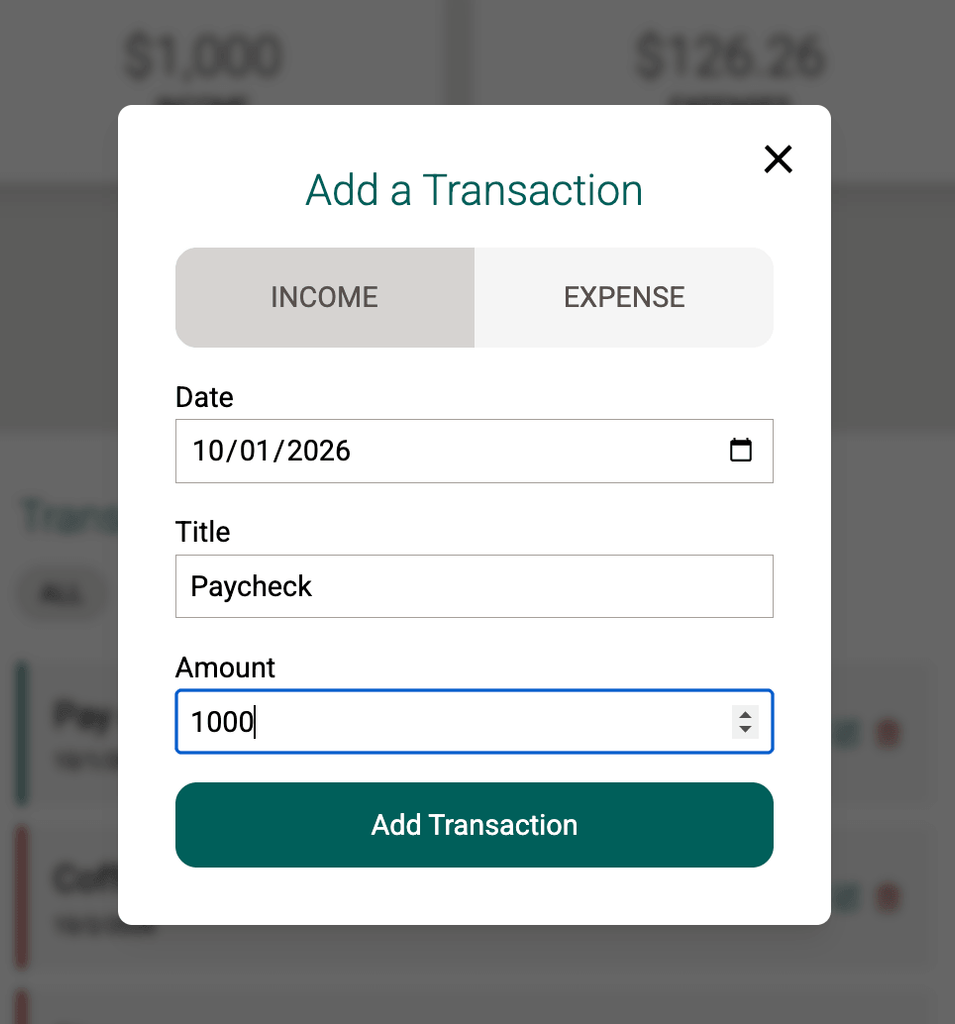
Reusable & configurable components
I learned and practiced using a modal component that renders different things via {children}. In this case the modal can display a transaction form used to create or edit transactions, or display a confirmation when deleting a transaction.
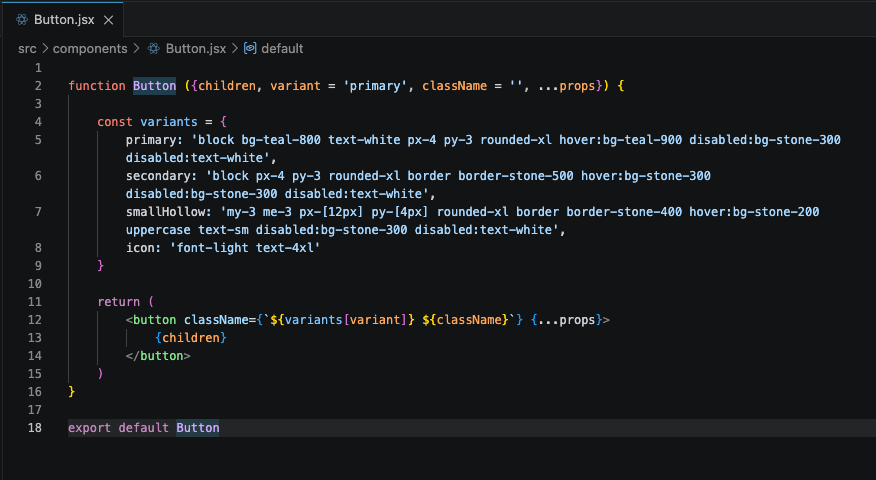
Additionally, I built a configurable button component with several variants: primary, secondary, small secondary, or icon
Side effects & local storage
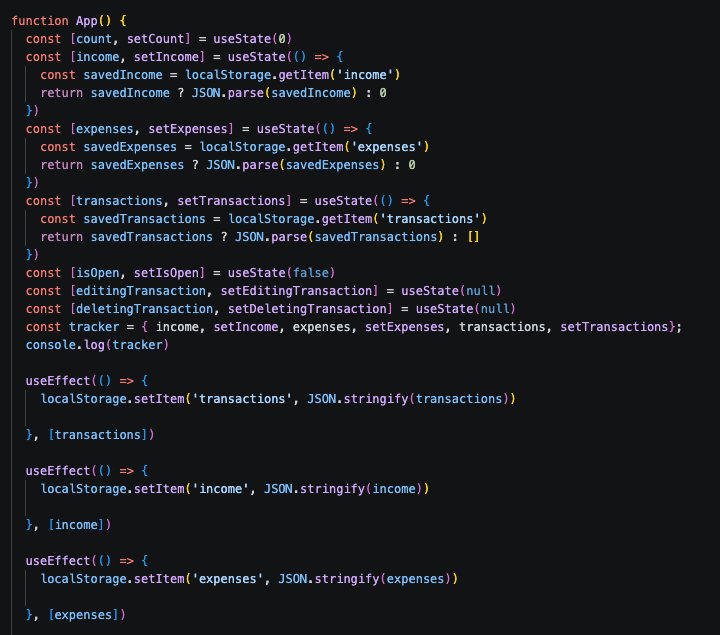
I used local storage to remember transactions between page loads. This is of course a stopgap to simulate a real database and user accounts that would remember transactions. Now, I better understand useEffect and how I can watch for changes to my transactions array to update localStorage. The flip side of this is to then get the data out of local storage and put it into state so it renders on the next page load.
Updating state
I practiced updating state through functional updates for simple integers. Or I would make immutable updates to arrays by spreading the existing data and adding my new data, then assigning to state.
Where I got stuck
In several instances, especially with updating state, reusable components, and prop drilling, I needed to do a lot of Googling. I’d also ask AI for hints. I tried to limit my AI usage when I was stuck – because I know that’s where the most learning can happen if I work it out on my own. When I did have AI give me a more complete answer, I’d immediately work on a feature that required the same skills but not use AI – to see if I could do it myself unassisted.
Just! Build! Websites!
From years of web development work, the more you do it, the easier it gets. It will help build muscle memory and a better understanding of common design patterns and solutions. As Chris Coyier and Dave Ruppert say on their podcast about this same topic: JUST! BUILD! WEBSITES!
In the spirit of just building websites, not overthinking things, and just iterating on more practice – I’m now on to my second React project – which is a math quiz game for my daughter!
Leave a reply